Interaction to Next Paint (INP) measures a website's overall UI responsiveness by tracking the latency of every click, tap, and keyboard interaction throughout a visitor's entire session.
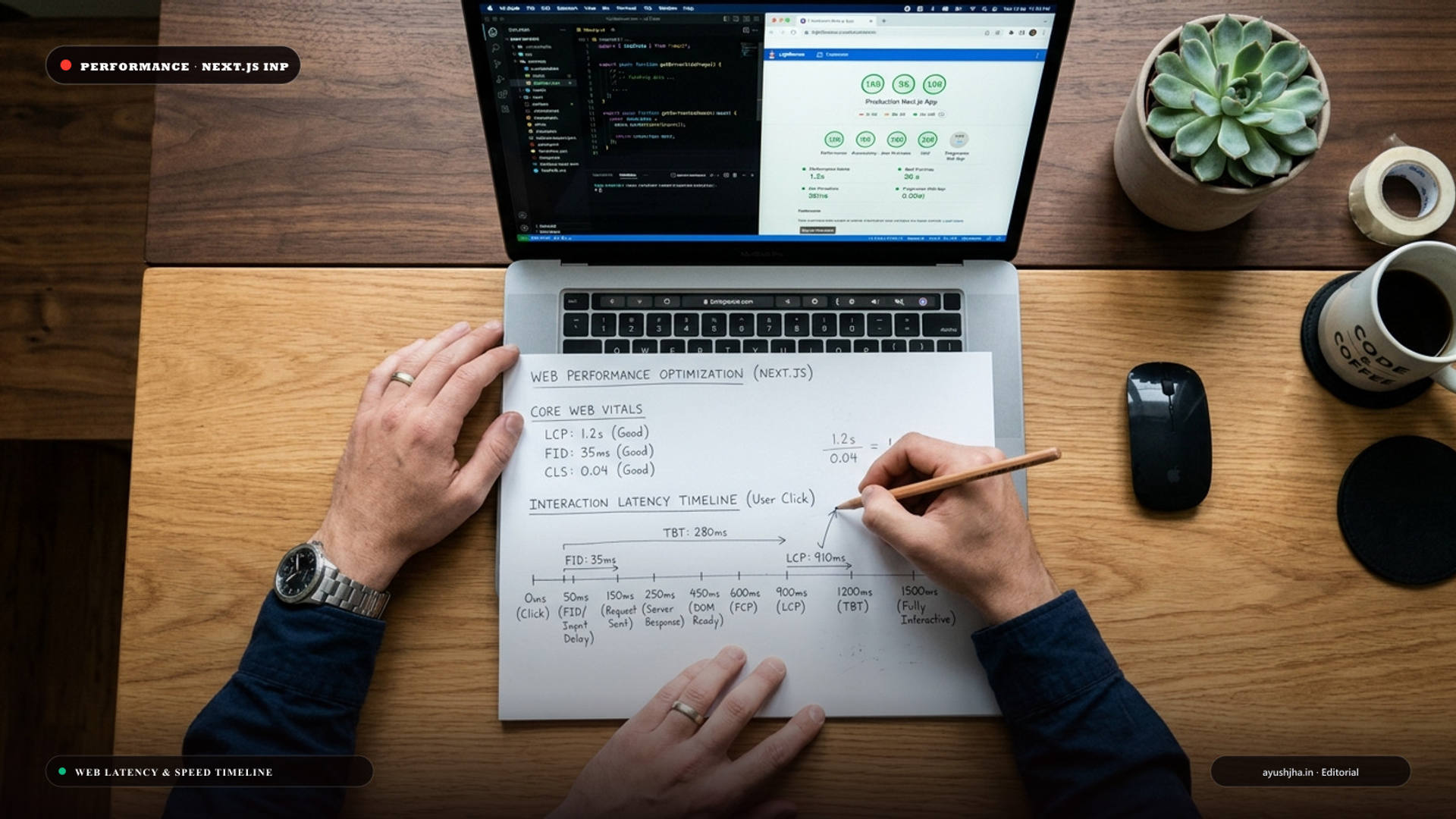
Understanding the 3 Phases of Interaction Latency
Every time a user clicks a button or taps an interactive element, the browser processes three distinct latency phases:
- 1Input Delay: The time elapsed between the user's physical tap and when event listener callbacks begin executing (often delayed because the main thread is busy with background scripts).
- 2Processing Duration: The time taken by your application's JavaScript code to execute inside the event handler.
- 3Presentation Delay: The time required by the browser to recalculate layout styles, perform compositing, and paint the new frame onto the screen.
4 Production-Tested Fixes for Next.js INP Bottlenecks
1. Yield to the Main Thread on Heavy Operations
When executing intensive filtering, cart calculations, or analytics inside an event handler, yield execution so the browser can paint visual feedback (like a button active state) immediately: ```javascript async function handleFilterChange(e) { // 1. Update UI state instantly setFilterState(e.target.value);
// 2. Yield to allow the browser to paint a frame await new Promise((resolve) => setTimeout(resolve, 0));
// 3. Process heavy background data transformation processHeavyCalculation(); } ```
2. Isolate Interactivity to Leaf Components
Avoid wrapping entire pages in "use client". Keep your parent layouts and data-fetching components as Server Components, and push client-side hooks strictly to small, isolated interactive buttons or search bars.
3. Defer Third-Party Tracking Scripts
Move Google Tag Manager, Meta Pixel, Hotjar, and live chat widgets to non-blocking loading strategies using next/script with strategy lazyOnload or execute them inside Web Workers with Partytown.
4. Optimize Layout Shifts and CSS Transitions
Heavy CSS animations that trigger layout (such as animating height or width) freeze the rendering pipeline. Animate only transform and opacity to allow the GPU compositor to paint frames without blocking the main thread.
INP Performance Benchmarks
| Metric Rating | INP Latency Range | Google Search Impact |
|---|---|---|
| Good | ≤ 200ms | Positive ranking signal; smooth mobile UX |
| Needs Improvement | 201ms – 500ms | Neutral ranking signal; minor mobile lag |
| Poor | > 500ms | Negative ranking penalty; high bounce rates |
To audit your web performance and score 95+ on Google PageSpeed, explore my ongoing website speed and maintenance care plans or get in touch for a technical audit.
Frequently Asked Questions
What replaced First Input Delay (FID)?
Interaction to Next Paint (INP) officially replaced FID as a Core Web Vital. Unlike FID, which only tracked the very first interaction on a page, INP continuously monitors all clicks, taps, and keyboard inputs across the entire visit.
How do I identify INP issues in Chrome DevTools?
Open Chrome DevTools > Performance Panel. Enable CPU throttling (4x slowdown to simulate mobile devices), start recording, interact with your UI, and look for long red tasks in the "Interactions" track.
Does a slow API call cause high INP?
No. Network fetch latency does not count toward INP. However, if your code executes heavy synchronous JSON processing on the main thread after the fetch resolves, that processing duration will spike your INP score.
How can Ayush Jha help optimize Core Web Vitals?
I specialize in sub-second Next.js and React architecture, debugging main-thread bottlenecks, eliminating hydration lag, and optimizing server response times so your business website scores 95+ across all mobile Core Web Vitals.